Their loyalty card in Apple Wallet — a channel you own.
The same QR that opens your menu saves their card to Apple Wallet — one tap, no app. It updates itself as they earn, and it's a way to reach your regulars with no feed or algorithm sitting in between.
The venues shown are demonstration builds — “The Local Kitchen” on the phones, a sample tenant in the console — and the Wallet pass and push notification are illustrative. The software is the real thing; every screen is a genuine capture.
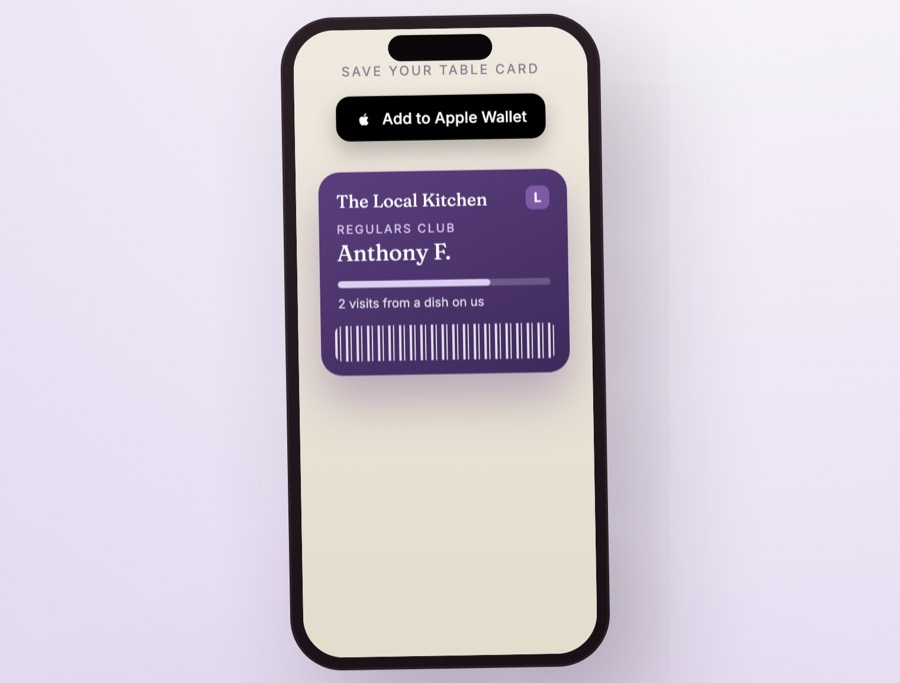
The same code that shows the menu keeps the guest
Watch it the way a guest lives it — they scan the code on the table, the menu opens, their card lands in Apple Wallet with one tap, and a quiet night becomes a message that reaches them where they already look.
Points that keep themselves, on a card that updates itself
A guest earns two ways — staff type a short code at the till when they pay, or it counts automatically when they order from the QR menu at the table. Either way the pass in their Wallet changes on its own; nobody re-issues anything, and nobody carries a stamp card.
You set the rewards. A coffee, a dessert, a dish on the house — the ladder is yours, and you can change it whenever you like.
The pass does the reminding. When they’re close to a reward, the card shows it — the nudge a good regular scheme lives on.
An example ladder — you decide the rewards, and change them any time.
The reason most loyalty schemes quietly die
They ask the guest to download something. Almost nobody does — so the scheme is empty before it starts. A Wallet pass skips the wall: it lives in the app that's already on every phone.
A loyalty app to download
- Find it in the store, install it, make an account — at the table, on their data.
- Most never do. The ones who do tend to delete it within a week.
- To reach them again you pay for a feed or an ad. You rent the audience.
A pass in the Wallet they already have
- One tap from the same QR that opened the menu — no app, no account, no store.
- It updates itself as they earn; nothing to re-issue or reprint.
- You reach them on the lock screen, through a channel you own — no ad spend, no algorithm.
The lock screen beats the inbox
When a quiet night needs filling, where your message shows up decides whether it works. Here's the honest comparison — and the two channels we run for you.
Wallet pass push
Straight to the lock screen, next to their messages. Free to send, a tap from a booking, and the channel is yours outright.
Text message
Nearly always read, and it reaches every phone. It costs a little per text, so we keep it for the messages that earn their keep.
Sits in a promotions folder most guests never open. Fine for your monthly owner report — not how you fill a table tonight.
Guest messaging runs on the Wallet pass and SMS. Email is for your own reports, not guest campaigns.
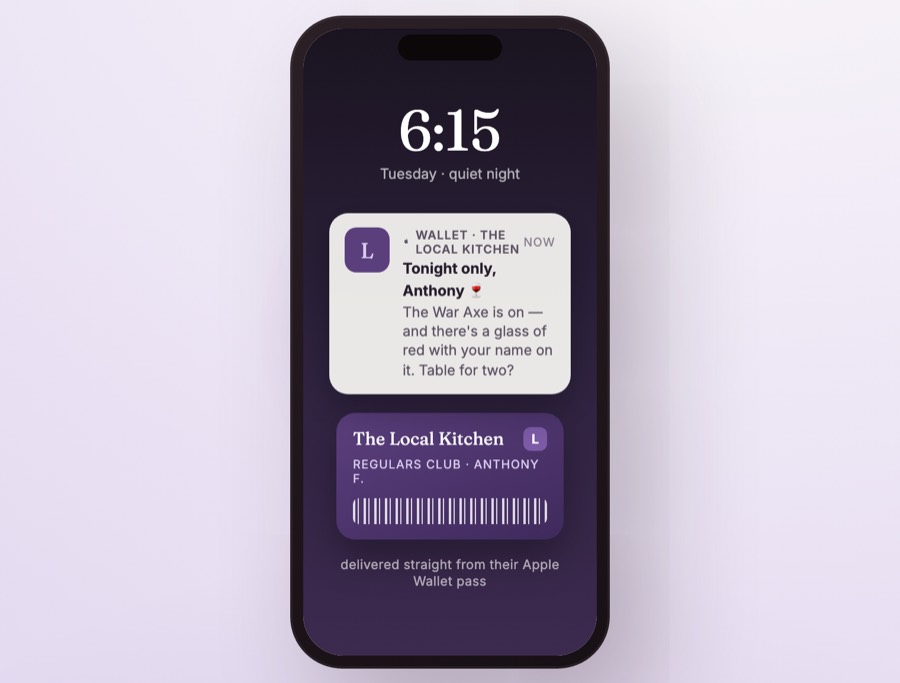
Turn a slow Tuesday into a full one
Your regulars already carry your card in their pocket. One short message — a special that’s on, a table held back — arrives straight from their Wallet pass, on the lock screen, next to their messages. Not an email that waits in a folder; a tap away from a booking.
Reach the right people. Send to everyone, or just the ones who’ve been in lately — the guest list knows who’s who.
No ad spend, no middleman. You’re speaking to people who already chose you, through a channel you own outright.
The notification shown is a demonstration of the feature, not a live send.
Every regular in one place — exportable any time
Bookings, orders, reviews and loyalty members stop living in four different apps. They land in one console you can read at a glance — and pull out as a CSV whenever you want it. It’s your data, not ours.
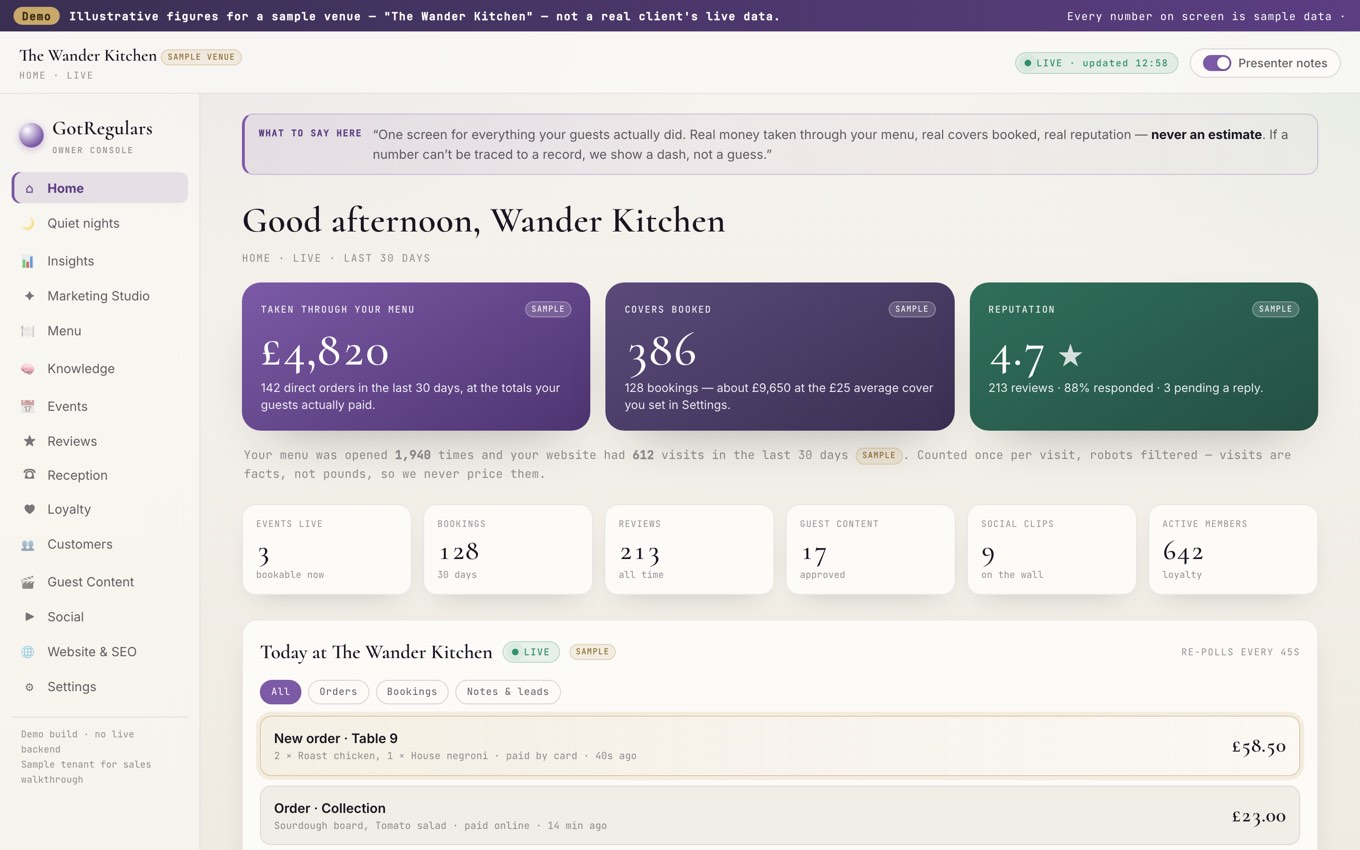
The loyalty cockpit in your console — shown with demonstration data.
Every regular in one place
Bookings, orders, reviews and loyalty members on a single screen — no more four logins to see one guest.
Yours to export
Download the whole list to CSV any time. If you ever leave, you take your guests with you.
No feed to rent
You reach them through their Wallet pass, not a timeline you pay to appear in.
Loyalty & Apple Wallet, answered
Do guests need an app for loyalty?
Who owns the guest data?
How do guests earn points?
We’ll build your loyalty pass, free to look at.
Send us your web address and we’ll set up your Wallet card and guest list — alongside the free visibility audit. Fifteen minutes, no obligation.